Guides · Partly Pro
After the game
Games are saved action by action as they're played. There's no save step at the end, so a finished game is already in History when the final score appears.
The final screen
When the game ends, the board shows the result full screen: the score, the winner, and the number of overtimes if there were any. Summary opens the box summary and Done returns to the home screen.
The box summary
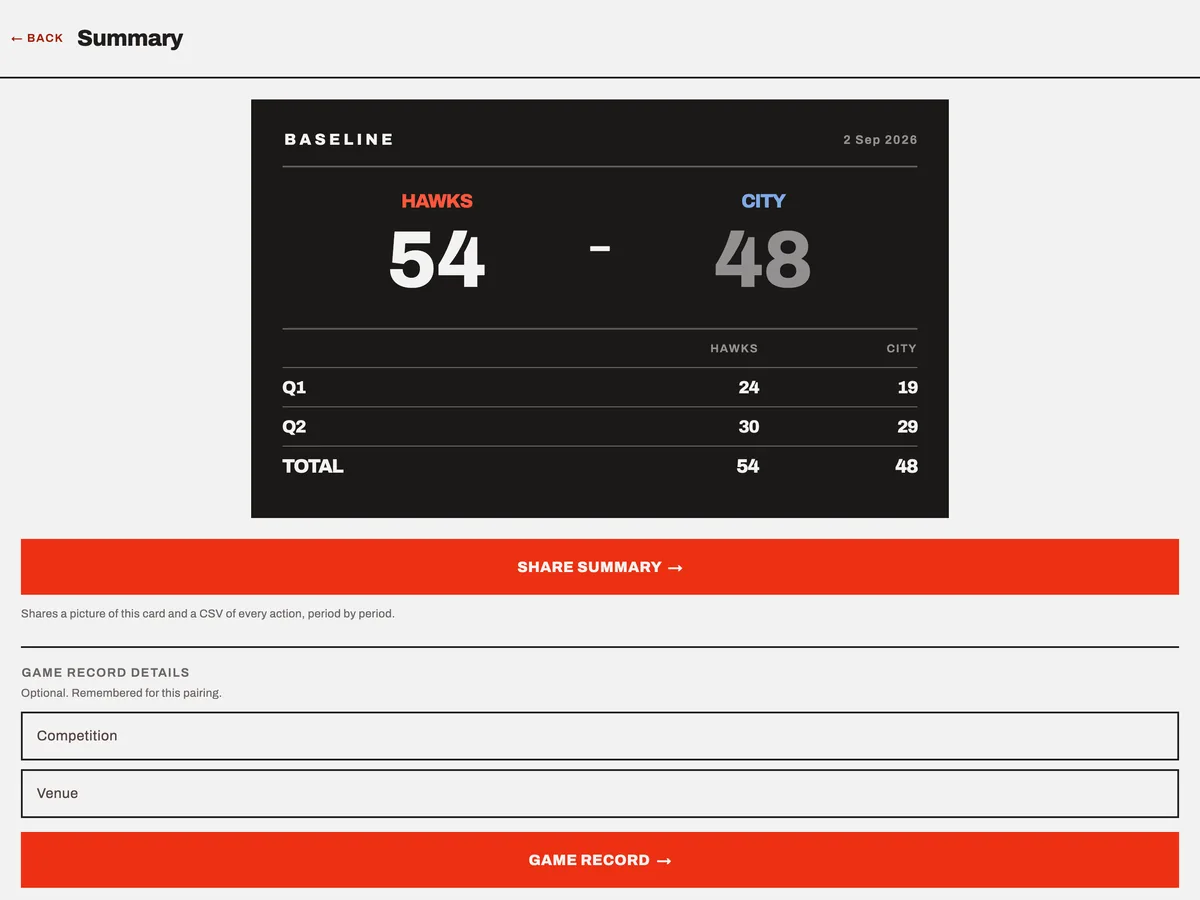
The summary is a card on the board's dark background. It shows:
- The final score and the date.
- A period-by-period table, with overtime periods listed separately.
- Player fouls, when the game had a roster: every player, with the letter of each foul type, and the reason any player was put out.
- Coach and bench technicals, and any timeout taken beyond the allowance.
- Quarters played by each player, when the game tracked equal play.
Viewing the summary is free for every game in your history.
History
The home screen lists recent games. See all opens History, as does Settings → History. Tap a game to open its summary.
Without Baseline Pro, History shows your three most recent games. Older games are kept, not deleted. The list shows how many are hidden, and they all appear when Baseline Pro is active.
Sharing the result
Share summary sends two files through your device's share sheet:
- A picture of the summary card, the same image on every device.
- A CSV of every action, period by period. It lists each basket, foul, timeout and correction with its period and game-clock time. The CSV is always in English, whatever language your device uses.
The game record
Game record, below the share button, makes an A4 PDF of what the board tracked, laid out like a scoresheet. It includes the running score, a foul box per player with the letter of each foul, team fouls per period, timeouts, the equal-play grid where the rules used one, and signature lines.
Before you make it, you can fill in Competition and Venue. Both are optional. They're remembered for that pair of teams, so a second game between the same two starts with them filled in.
The record states that it was generated by the app and is not an official scoresheet. Whether your league accepts it instead of paper is up to them.
Where your games are kept
Games are stored on your device only. There's no account and no server. Uninstalling the app deletes the database. Your device's own backup, through iCloud or Google, may include the app's data as it does for other apps. See the privacy policy for details.
Deleting a game
A finished game can't be deleted in the app. It stays in History until the app is uninstalled.
An unfinished game can be. The Game in progress card on the home screen has Discard, which deletes it after you confirm. Starting a new game also clears any unfinished one.
If you have trouble with any of this, get in touch.